Private Photo Vault
Legendary Software Labs LLCPhotography
4.83.82K Reviews
- Version
- 7.1.3
- Installs
- 10.00M
- Age Rating
- Everyone
Screenshots
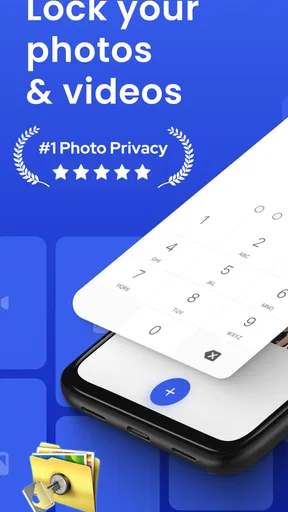
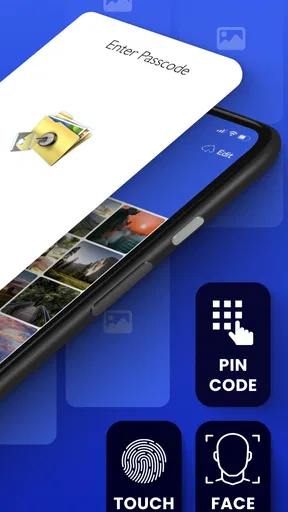
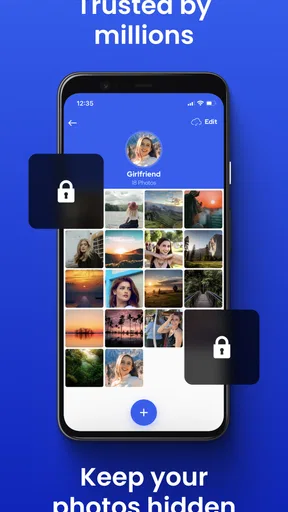
Our Review of Private Photo Vault
 Analysis by Appyee
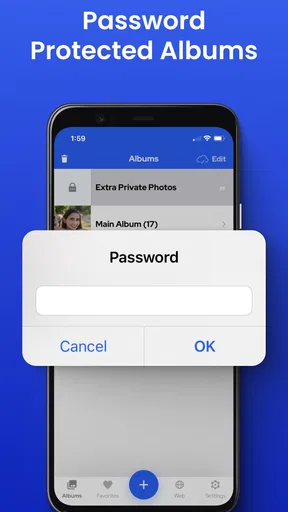
I think the best way to approach Private Photo Vault is as a focused privacy tool, not a replacement for your whole photo library. Its promise is simple: keep selected pictures and videos behind a separate lock so they are less exposed when someone browses your phone. That can be useful for personal images, surprise gifts, or documents you keep as photos. It is a free photography app from Legendary Software Labs LLC, rated for Everyone, and its 4.8 average from around 225,000 ratings suggests it has found a large audience. I would still treat a vault as one layer of privacy rather than a guarantee against every way someone might access a device.
What to expect from a dedicated photo vault
Unlike a general gallery app, a vault is meant for a small, intentional selection of media. I would not move every picture into it by default: keeping the everyday camera roll where it is makes browsing and sharing simpler, while moving only sensitive items gives the extra lock a clear purpose. The app has over 10 million installs, and its current version is 5.6.1. It is free to install, with optional in-app purchases ranging from $2.99 to $179.99 per item, so I would check the purchase screen carefully before choosing anything paid.
This distinction also helps set realistic expectations. A separate passcode can reduce casual exposure when a friend borrows your phone, but it cannot protect a photo that you have already sent elsewhere or copied into another app. If you mainly want to organize a large library, your phone’s built-in photos app is likely more convenient. If your concern is simply that certain items should not appear during casual scrolling, a dedicated vault is a more direct fit.
Getting set up without rushing
First, choose a passcode you can remember but that is not easy for someone close to you to guess. Then decide which photos or videos really belong in the vault. Importing a batch is more efficient than handling files one by one, but I recommend starting with a few non-sensitive images so you can learn the flow before moving anything important. Check that the items appear inside the app, then confirm what remains visible in your regular gallery before deleting anything there.
That last check matters. Moving media into a vault and removing the original from the camera roll are separate decisions, and deleting the wrong copy can be stressful. I would keep a normal backup of irreplaceable family pictures and only remove the visible gallery copy after verifying that the vault version opens correctly. A vault is best used for privacy, not as the sole home for memories you cannot replace.
Your first useful result
A practical first test is to import a small group of images, sort them into an album, lock the app, and then reopen it with your chosen sign-in method. That verifies the basic routine before you rely on it. If you use albums for different contexts—say, personal keepsakes and travel paperwork—clear names can make later retrieval faster without exposing more than necessary while you browse.
For a realistic everyday example, imagine handing your phone to a friend to show them a restaurant photo. With selected private items kept in a separate locked space, you can open the ordinary gallery without those images sitting among the pictures you intend to share. The benefit is not that you never have to think about privacy again; it is that you have a more deliberate boundary between casual viewing and personal media.
Using the vault thoughtfully
Private Photo Vault is a photography app released on April 6, 2015, and it supports devices running version 7.0 or later of its operating system. I find that established, straightforward purpose appealing, but the app’s value depends on a careful setup. Its security tools are useful only when you understand what they do, keep your passcode private, and avoid treating a local vault as a substitute for a separate backup.
Features That Stand Out
One of the standout features for me is the app's ability to import photos directly from your camera roll. You can select multiple images and videos at once, which saves a ton of time. Once imported, they're safely tucked away in the vault, and you can delete them from your gallery to ensure they're truly private. The app supports a variety of media formats, which is a plus.
Another cool feature is the break-in report. If someone tries to access the app with the wrong password, it snaps a photo of the intruder and logs the GPS location. Talk about high-tech security! It's nice to have peace of mind knowing you'll be alerted if anyone's trying to snoop around.
User Interface & Experience
The user interface is sleek and straightforward. The app is designed with simplicity in mind, and it doesn't bombard you with unnecessary options. Navigating through the app is smooth, and finding your way around is as easy as pie. You have the option to organize your media into albums, which helps keep everything tidy and accessible.
One of my favorite aspects is the slideshow feature. You can view your photos in a continuous loop, complete with transitions. It's a small touch, but it makes the experience of revisiting your memories feel special.
Privacy and Security
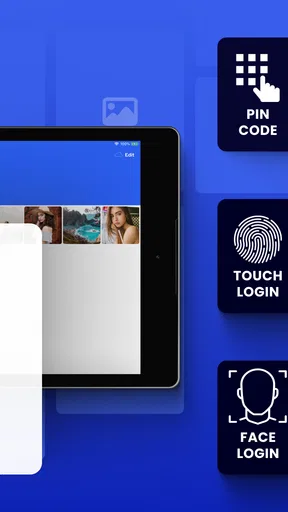
Privacy is at the core of what Private Photo Vault offers. The app uses encryption to protect your data, ensuring that your media stays private. You can also set up a Touch ID or Face ID for an extra layer of security, which makes accessing your vault both quick and secure. It's reassuring to know that even if your phone falls into the wrong hands, your private photos won't be compromised.
For me, the important trade-off is convenience versus confidence. Biometrics can make repeated access less of a chore, while a passcode remains worth remembering in case you need to unlock the app another way. I would avoid testing security by asking someone to guess passwords with sensitive material already inside; use a few harmless images first, and review the app’s current settings on your own device. A vault can discourage casual snooping, but device access, backups, and copies shared outside it still matter.
Customization and Extras
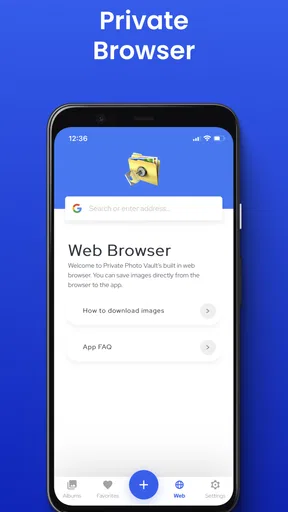
Customizing the app is a breeze. You can change album covers and sort photos by date or name. The app also offers a private web browser, allowing you to download images directly into the vault without leaving any trace in your browser history. If you ever switch devices, the backup and restore feature makes transferring your vault a hassle-free experience.
I also appreciate the decoy mode. You can set up a secondary password that opens a different set of photos, so if someone insists on seeing what's inside, you can show them the decoy vault. It's a clever trick that keeps your private media extra secure.
Those extras are most useful when they solve a real routine problem. Album covers and sorting can make a modest collection easier to scan; they are less helpful if you expect the app to manage a sprawling archive like a full photo service. The browser may suit someone saving an image straight into a private collection, while people who already organize downloads elsewhere may prefer not to change habits. Before relying on device transfer, I would make a small test backup and confirm the restore path works for me rather than waiting until a phone change is urgent.
When another option makes more sense
Compared with a phone’s built-in hidden-album feature, a separate vault gives privacy its own app and access routine, which may be easier to keep distinct from everyday browsing. The built-in option can be a better choice if you want fewer apps and a simple way to keep items out of the main gallery. Cloud photo storage is more appropriate when your main concern is keeping a library available across devices; a private vault is more appealing when the priority is limiting casual access on one phone. Neither approach removes the need to think about copies, account access, or backups.
I would skip this app if you need a shared family archive, automatic organization across devices, or a guaranteed recovery system for irreplaceable files. It is also not the right answer for someone who expects a vault to hide every trace of media from every other app. Its strength is narrower: keeping selected items in a separate, locked place and making them easy to revisit there. That focus is useful, as long as it matches the problem you actually have.
Final Thoughts
In a world where privacy feels increasingly rare, Private Photo Vault is a breath of fresh air. It combines ease of use with robust security features, making it the ideal choice for anyone looking to protect their personal media. Whether you're safeguarding family photos or private videos, this app has got you covered.
If you're ready to take control of your privacy, give Private Photo Vault a try. It's a small investment for peace of mind, and with features tailored to keep your media safe, it's a no-brainer. Download it today and lock up those precious memories!
Verdict
Strengths of Private Photo Vault
- Secure photo encryption for privacy.
- User-friendly interface for easy navigation.
- Supports multiple photo formats.
- Offers album organization features.
- Biometric login for added security.
Limitations of Private Photo Vault
- Limited free storage options.
- Ads in the free version are intrusive.
- Occasional app crashes reported.
- Some features require paid upgrade.
- No cloud backup in the free version.
Similar Picks in This Category
View All
Google Photos
Google LLC4.4

Gallery
Google LLC4.2

Picsart AI Photo Editor, Video
PicsArt, Inc.3.9

B612 AI Photo&Video Editor
SNOW Corporation4.1

BeautyPlus-Selfie Photo Editor
PIXOCIAL TECHNOLOGY (SINGAPORE) PTE. LTD.4.5

Remini - AI Photo Enhancer
Bending Spoons4.1
You May Also Like
View All
Frequently Asked Questions
What is Private Photo Vault and how does it work?
Private Photo Vault is an app designed to securely store and protect your photos and videos on your smartphone. It allows you to create a password-protected gallery where your media files can be safely stored away from prying eyes. The app also provides features like album organization, photo import/export, and even a decoy password for added security.
How secure is Private Photo Vault?
Private Photo Vault offers robust security features, including password protection and encryption. The app encrypts your files to ensure they cannot be accessed without the correct password. Additionally, it has a break-in report feature that snaps a photo and records the GPS location of unauthorized access attempts, providing an extra layer of security.
Can I recover my photos if I forget my password?
If you forget your password, the app provides a password recovery option through email. During setup, you can register an email address to receive recovery instructions. However, if you haven't set this up, retrieving your photos may be difficult, as the app prioritizes security and privacy.
Does Private Photo Vault support video files as well?
Yes, Private Photo Vault supports both photos and videos. You can import your videos into the app and store them securely alongside your photos. The app maintains the same level of encryption and security for videos, ensuring that all your media files are protected against unauthorized access.
Is Private Photo Vault free, or do I need to pay for full features?
Private Photo Vault offers a free version with basic features, allowing you to protect and organize your photos and videos. However, there is also a premium version available for purchase, which unlocks additional features such as more storage capacity, ad-free experience, and enhanced security options. Users can choose based on their needs and preferences.
